12 Best B2B Data Enrichment Tools in 2026


Quick summary
B2B contact and firmographic data goes stale fast, and no single provider gets every record right. This guide compares 12 data enrichment tools on pricing, delivery method, coverage, and the trade-offs that actually matter when you're embedding data into a product, a CRM, or an AI workflow, so you can pick the one that fits your stack, not the one with the loudest ad spend.
The best 3 at a glance
What to know before choosing a data enrichment tool
Every team that runs outbound, scores leads, or ships an AI product and hits the same wall eventually. The contact record is incomplete, the company is missing, and the job title is outdated. This can affect your workflow and lead to poor results. Enrichment fills the gaps, updates old data, and helps your tools work better.
The catch is that no provider gets every record right. Data quality varies by geography, by data point, by the input you send in, and by whether the vendor pulls live or from a monthly-refreshed database. Some providers guess to get more matches. Others return no result when they are unsure. Guessing gives you more coverage, while returning no result can give you more reliable data.
So the right tool depends on what you're trying to do with the data, and that's what this guide is built around.
Why listen to us
We're Reverse Contact, a People and Company Data API used for enrichment, data workflows, and AI systems. We see firsthand what happens when data is outdated, incorrect, or incomplete.
We've tested many of the tools on this list and will also point out when another provider may be a better fit. One thing to remember is that many providers use overlapping data sources. The real difference is how they clean, match, verify, and update that data.
What is a data enrichment tool?
A data enrichment tool takes a record you already have and returns everything else about that person or company that you're missing. Job title, seniority, department, company headcount, industry, funding stage, tech stack, social profiles, work history.
Providers generally use one of three approaches:
- Database-first: They store data and refresh it on a schedule, such as weekly or monthly. Results are fast, but the data can become outdated.
- Live retrieval: They fetch data when you make a request. This can be slower, but the information is more current.
- Hybrid: They check their existing database first and retrieve fresh data when a record is missing or outdated.
The right option depends on what matters more for your use case, speed or data freshness.
How you receive the data matters too. A real-time API works well for product features and CRM enrichment, while CSV uploads are useful for updating large lists or historical data. Webhooks can deliver results without holding up your workflow, and MCP lets AI agents access enrichment directly. If a provider offers only one option, it could limit how you use the data later.
The 12 best data enrichment tools of 2026
1. Reverse Contact
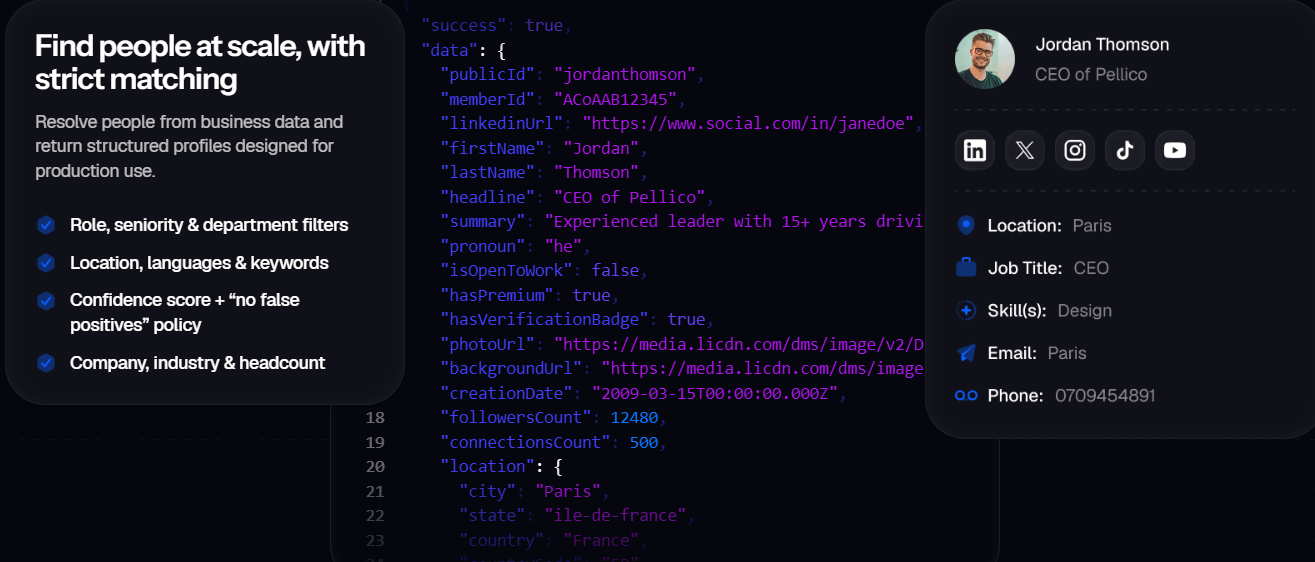
Reverse Contact is a People and Company Data API for teams adding enrichment to products, workflows, or AI systems. It returns clean, structured profiles from a name, email, or social URL.
When we can't match a record with high confidence, we return null instead of guessing. This may mean fewer matches, but it helps reduce false positives. For customer-facing products and sales workflows, an incorrect match can be worse than a missing record.
You can get data through a real-time API, CSV, webhooks, or MCP for AI agents. You can also use cached data for speed or live data when freshness matters. Every response includes a last_updated timestamp, so you can check how current the data is.
Key features
- People Search API: Discover people by title, seniority, department, location, and skills, then pull structured profiles.
- Person Enrichment API: Match an existing partial record to a full profile with work history, education, skills, and current role context.
- Company Search API: Search companies by industry, size, and other firmographics with identity resolution across domains.
- Company Enrichment API: Add firmographic context including headcount, industry, and business classification to a company record.
- Live on-demand resolution: Pull data fresh at query time when the cached record is stale, with a "last_updated" field on every response.
- Strict null-on-uncertain matching: Choose stricter matching rules so the API returns null instead of a low-confidence guess.
- Multi-channel delivery: Real-time API, CSV bulk, webhooks, and MCP for AI agents. Pick the delivery method that matches your workflow.
- No-code integrations: Push data through Zapier or Make for teams that don't want to write against the API directly.
Pricing
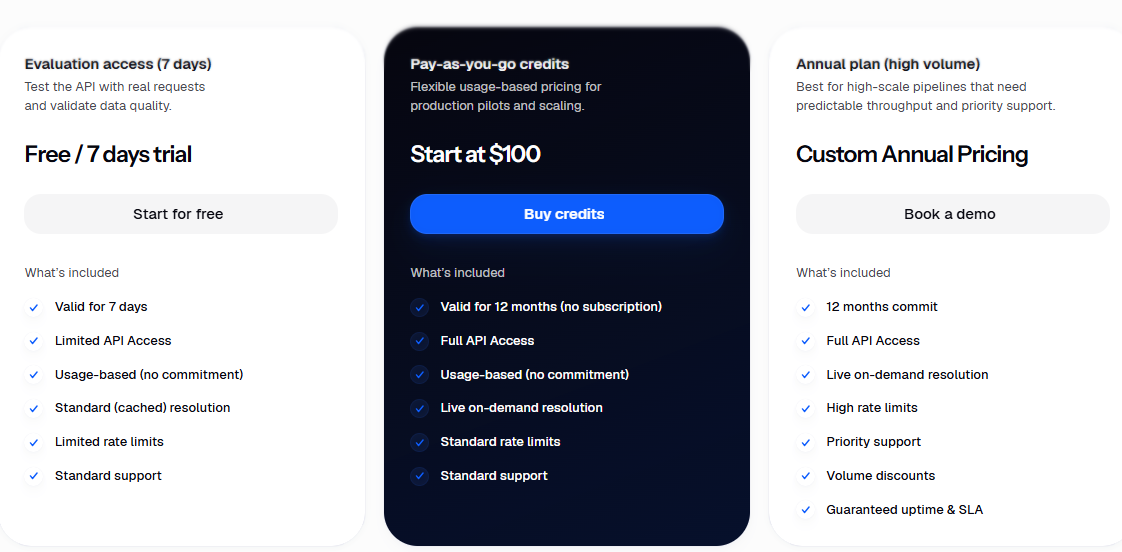
- 7-day evaluation access: free, cached resolution, limited rate limits
- Pay-as-you-go: from $100, valid for 12 months, no subscription, full API access with live on-demand resolution
- Annual plan : custom pricing, priority support, guaranteed uptime and SLA
Pros
- Returns null on low-confidence matches so downstream workflows don't act on bad data.
- Live on-demand resolution keeps data fresh.
- Four delivery methods (API, CSV, webhooks, MCP) fit most product and workflow stacks.
- Pay-as-you-go with 12-month credit validity lets small teams start without a subscription commitment.
- Every response carries a "last_updated" timestamp, so freshness is a decision you can make per record.
Cons
- No built-in outreach sequencer or dialer, so you'll need a separate tool for campaigns.
2. Clay
Clay is a data orchestration platform, not a database. Instead of storing its own data, it queries 150+ third-party providers in a waterfall. So match rates on a mixed list can beat any single-vendor lookup.
RevOps teams and GTM engineers use it to build custom enrichment workflows. For example, they can enrich a record, research the company with an AI agent, route the result, and send it to the CRM. Pricing can be harder to predict because Clay charges separately for platform Actions and Data Credits.
Key features
- Waterfall enrichment: Query 150+ providers in sequence per lookup, returning the first successful match.
- Claygent AI agent: Research companies or people with natural-language prompts, powered by web search.
- Workflow builder: Build conditional multi-step enrichment logic without writing code.
- CRM auto-sync: Push enriched records to Salesforce, HubSpot, and other CRMs on Growth and Enterprise plans.
- Signals and intent: Track job changes, promotions, and web intent signals to trigger workflows on real-world events.
Pricing
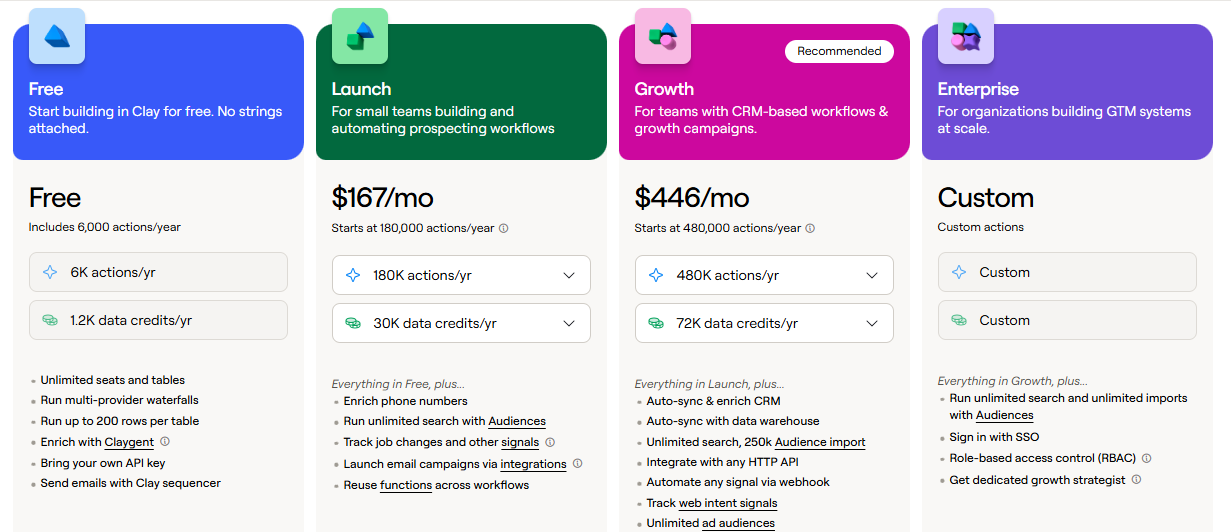
- Free: 100 Data Credits and 500 Actions per month, unlimited seats
- Launch: from $167/month, 2,500 Data Credits and 15,000 Actions
- Growth: from $446/month annual , 6,000 Data Credits and 40,000 Actions, CRM auto-sync
- Enterprise: custom pricing, SSO, RBAC, unlimited audiences
- 14-day free trial available on paid plans
Pros
- Waterfall lifts match rates on lists where any single vendor would leave gaps.
- Extremely flexible for teams that want conditional enrichment logic without engineering.
- Free plan is enough to prove the workflow before committing to a paid tier.
Cons
- Actions plus Data Credits make true cost per lead hard to predict.
- Steep learning curve, and most teams need a dedicated operator to get real value.
- Not a great fit if you want a single API call to return an enriched record.
3. ZoomInfo
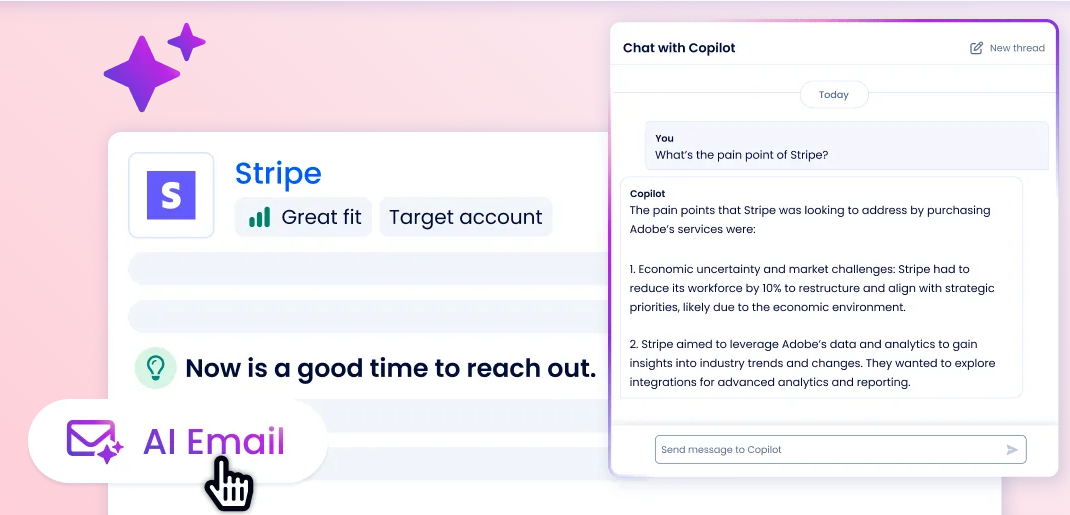
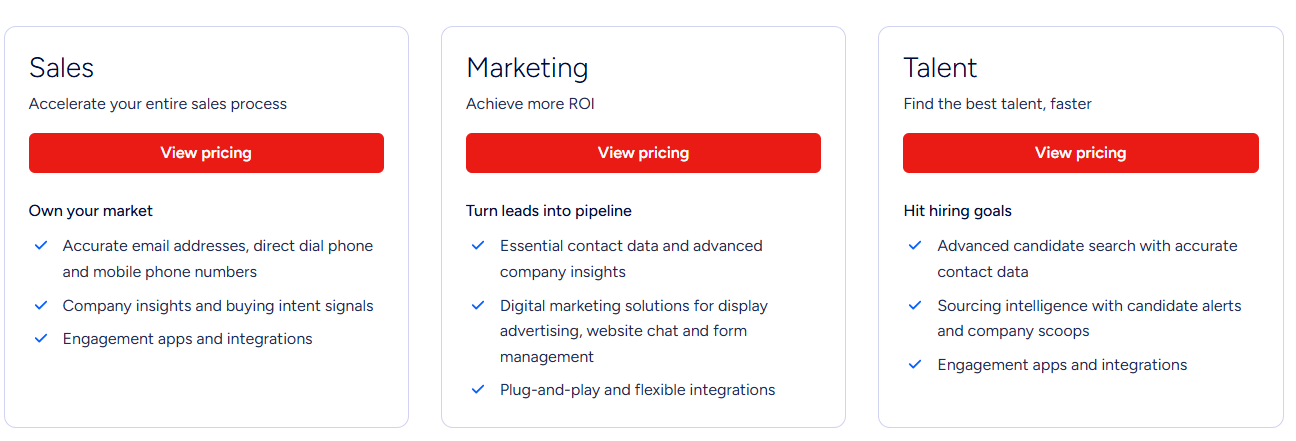
ZoomInfo is one of the largest B2B data platforms, with strong coverage on US companies and business professionals. The platform layers on technographic data, intent signals, org charts, and CRM enrichment on top of the base contact database.
ZoomInfo publishes no starting number on its own pricing page and actively pushes back on third-party quotes that circulate online.
Key features
- Advanced technographics: See which tools and platforms a target account is already running.
- Streaming intent signals: Identify accounts researching your category through third-party signal aggregation.
- Org charts: Map reporting structures inside target accounts to find decision-makers.
- CRM enrichment: Auto-update Salesforce, HubSpot, and other CRMs on a defined schedule.
Pricing
- ZoomInfo does not publish starting prices on its own pricing page
- Free trial available to evaluate before quoting
Pros
- One of the largest US B2B contact databases available in a single platform.
- Intent, technographic, and org-chart data all live in the same interface.
- Deep native integrations with Salesforce and HubSpot.
Cons
- No published pricing means every purchase decision requires a sales cycle.
- Historically overwhelming feature surface for teams under 200 people.
- Contracts and renewals are annual with limited flexibility.
4. Apollo.io
Apollo.io combines a contact database with email sequencing, a dialer, and analytics in one platform. The all-in-one model is why it's become a default for outbound-heavy SMBs and mid-market sales teams.
The free plan lets you test the data quality before paying, which is useful. But at scale, lower-tier credits can run out quickly, and API access for using Apollo data in your own product requires a higher-tier plan.
Key features
- Contact database: Search a large B2B contact set by title, industry, technology, and firmographic filters.
- Built-in sequencer: Send multi-touch email sequences directly from Apollo without a separate outreach tool.
- Dialer and voicemail drop: US dialer on Professional, international on Organization, with call recording and coaching.
- CRM enrichment: Push and update records in Salesforce and HubSpot automatically.
- Intent signals: Score accounts by buying intent to prioritize outreach.
Pricing
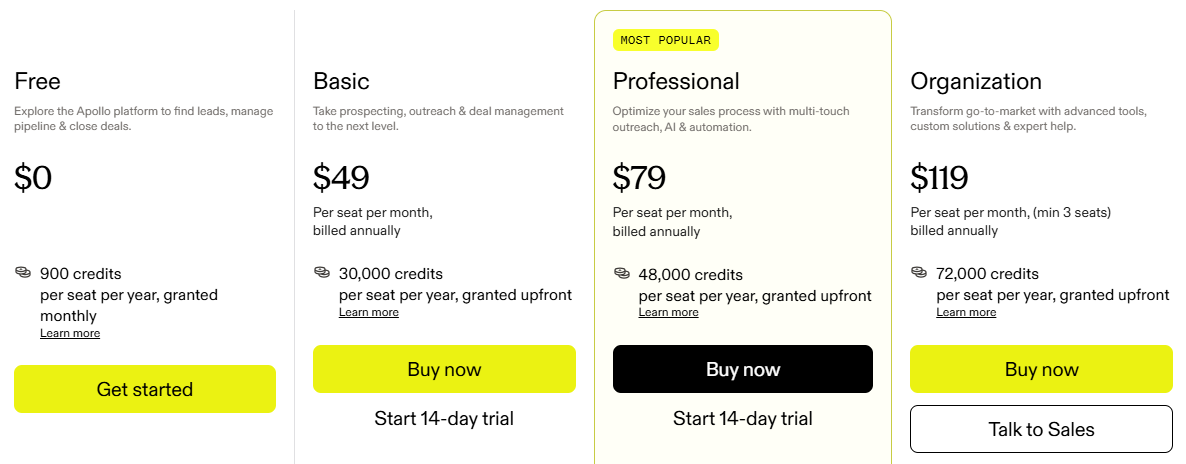
- Free: $0, 900 credits/year, 2 sequences, basic filters
- Basic: $49/user/month annual, 30,000 credits/year, unlimited sequences, CRM integrations
- Professional: $79/user/month annual, 48,000 credits/year, US dialer, AI research
- Organization: $119/user/month annual, minimum 3 users, 72,000 credits/year, international dialer, SSO
Pros
- Data plus sequencer plus dialer together is cheaper than stitching three tools together.
- Free tier is realistic for evaluation, not a marketing tease.
- $49/user/month annual for the Basic plan is one of the lowest entry points.
Cons
- Email accuracy varies by geography and vertical.
- Credit limits on lower tiers run out fast for heavy outbound teams.
- Advanced API access sits behind the Custom plan.
5. Cognism
Cognism is built for teams prospecting in Europe, the UK, and DACH. Its differentiator is phone-verified mobile numbers, which meaningfully lifts connect rates for SDR teams running cold-call motions.
The platform also runs GDPR-aligned Do-Not-Call list checking across 15+ countries as a standard feature. Coverage outside Europe is thinner, so teams selling primarily into the US often pair Cognism with another provider.
Key features
- Phone-verified mobiles: Human-verified direct dials with higher connect rates than most bulk-sourced databases.
- GDPR and DNC compliance: Built-in Do-Not-Call list checking across the UK, EU, and 15+ additional countries.
- On-demand verification: Submit high-priority prospects for advanced mobile verification through Cognism's verification engine.
- Bombora intent data: Track accounts researching topics in your category using Bombora's Company Surge signal set.
- CRM enrichment: Push verified records into Salesforce, HubSpot, and other CRMs with credit-neutral refresh on unchanged fields.
Pricing
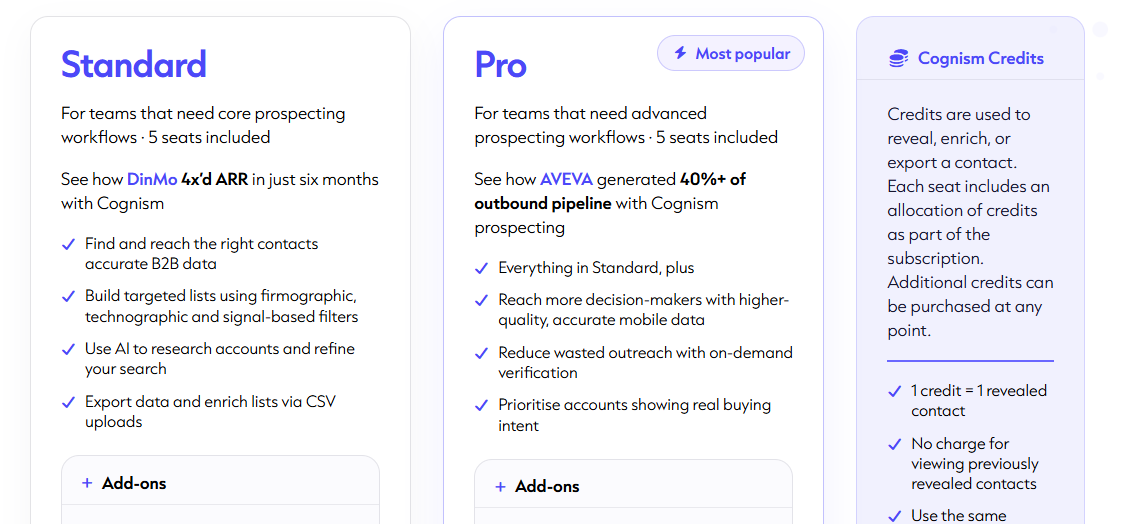
- Standard: 5 seats, 10,000 annual credits
- Pro: 5 seats, 12,000 annual credits, plus on-demand verification
- 25 free leads available to test data quality before purchase
Pros
- Strongest EMEA and DACH coverage
- Compliance-by-design (GDPR, DNC filtering) is standard, not an upsell.
- Credits don't reset until a contact changes, so budget doesn't burn on stale re-lookups.
Cons
- US and APAC coverage is thinner than ZoomInfo or Apollo.
- No public pricing means a sales call before you know if it's in budget.
- 5-seat minimum prices out very small teams and solo operators.
6. People Data Labs
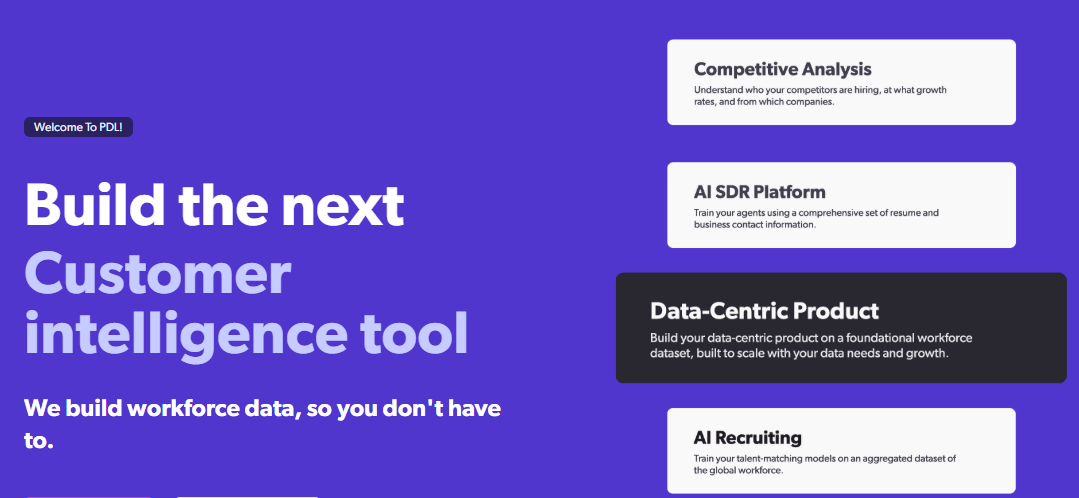
People Data Labs (PDL) is a developer-first data provider. The audience is engineers, data scientists, and product teams who want programmatic access to a large person and company dataset. No UI, sequencer, or CRM. Just a simple REST API with clear documentation and code examples in common programming languages.
The dataset is refreshed monthly, which is fine for building an app or seeding a data warehouse and less fine if you need real-time freshness on individual lookups.
Key features
- Person Enrichment API: Enrich records against 3B+ profiles by email, LinkedIn URL, or attribute combination.
- Company Enrichment API: Covers firmographics, industry, headcount, funding, and technographic data.
- Search API: Query the dataset with any combination of attributes for building lists at scale.
- Bulk endpoints: Process large datasets asynchronously via batch calls.
- Sandbox APIs: Test at zero credit cost before pointing production traffic at the paid endpoints.
Pricing
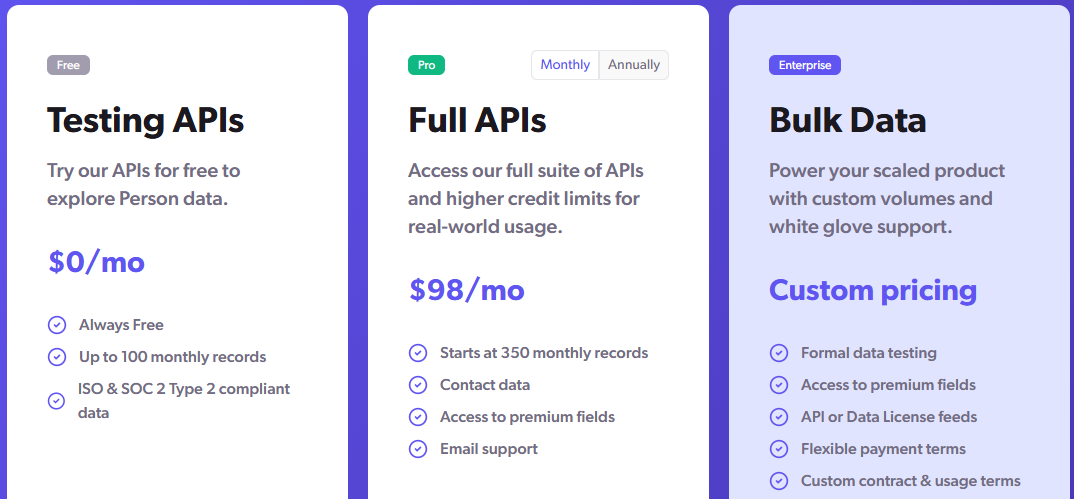
- Free: 100 person/company lookups per month, 25 IP lookups
- Pro : from $98/month, 350 person enrichment credits
- Enterprise: custom pricing with dedicated success, SSO, and data license options
Pros
- Well-documented REST API with code samples in Python, Node.js, Ruby, Go, and cURL.
- One of the largest raw person datasets available for direct API access.
- Free tier and sandbox APIs let developers evaluate integration cost before signing anything.
Cons
- Monthly refresh cadence means the freshness bar is worse than live-retrieval providers.
- No Chrome extension, sequencer, or CRM UI.
- Pro plan's 350 person credits burn through fast for teams running any real enrichment volume.
7. Clearbit (Breeze Intelligence)
Clearbit was acquired by HubSpot in late 2023 and rebranded as Breeze Intelligence in 2024. The standalone Clearbit API is no longer sold. Enrichment, buyer intent, and form-fill features now live natively inside HubSpot as part of the Breeze AI suite.
If you're on HubSpot, that's a genuinely good deal. New records get auto-enriched on write, forms shorten automatically when known fields can be filled from the graph, and Breeze can surface companies visiting your site. If you're not on HubSpot, this tool isn't available to you at all.
Key features
- CRM auto-enrichment: Adds firmographic and person data to new HubSpot records automatically on write.
- Visitor identification: Reveal which companies are browsing your site for first-party intent signal.
- 100+ B2B attributes: Firmographics, technographics, and person-level context bundled into HubSpot records.
- Form shortening: Auto-fill known data to shrink forms and lift conversion, without losing the field sales needs.
Pricing
- No standalone plan: requires a paid HubSpot subscription (Starter starts at $15/month)
- HubSpot Credits: $10 per 1,000 credits monthly, or roughly $9 per 1,000 annual
- Included credits scale by HubSpot tier, from 500/mo (Starter) to 5,000/mo (Enterprise)
- Standard firmographic enrichment now bundled free with Core Seats on paid HubSpot plans
Pros
- Deepest native enrichment layer for teams already committed to HubSpot.
- Visitor identification surfaces buying intent before a form fill.
- Standard enrichment now bundled with paid HubSpot seats, so no extra credit spend for basic firmographics.
Cons
- Salesforce, Pipedrive, or custom stack teams can't buy it.
- HubSpot Credits don't roll over month to month, so unused capacity is wasted spend.
- Clearbit is now part of HubSpot, not a separate tool you can buy or use on its own.
8. Lusha
Lusha is built around fast contact lookups through a Chrome extension. A rep browsing LinkedIn or a company site clicks the extension, gets an email or phone number, and pushes it to the CRM. That's the whole loop, and it's why SMB reps like it. No dashboards or waterfall configuration, just a widget.
The free plan is enough for light prospecting and lets you actually try the data. Lusha is optimized for contact details, so if you want structured job history, skills, education, or firmographic depth on every record, you might get dissapointed.
Key features
- Chrome extension: Reveal verified emails and phone numbers directly from LinkedIn or company sites.
- Direct dials: Access verified phone numbers, with credits weighted heavier than email lookups.
- CRM integrations: Push contacts to Salesforce, HubSpot, or Outreach on paid plans.
- Prospecting lists: Build lists by industry, company size, and title using platform search.
- MCP and AI integration: Connect Claude and other AI assistants to Lusha data via MCP.
Pricing
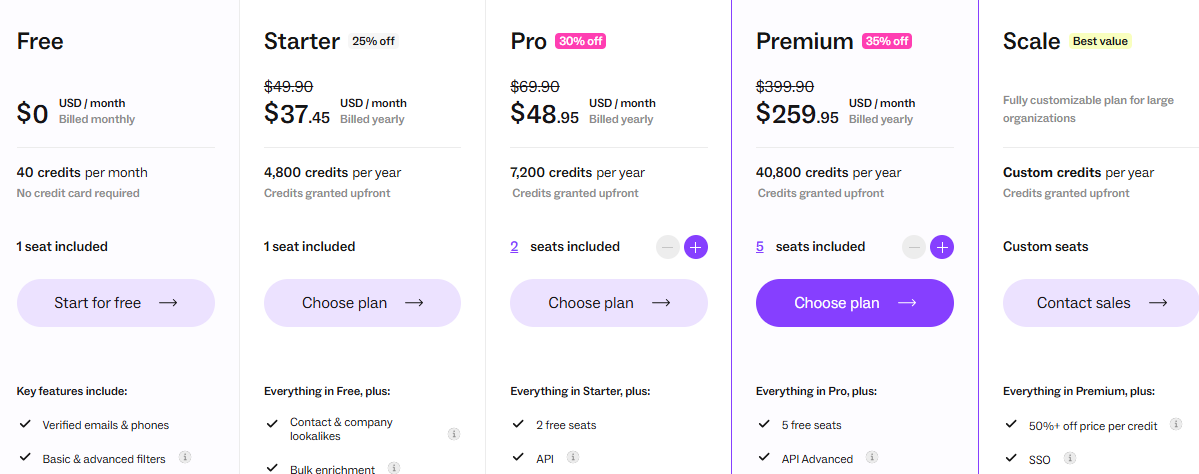
- Free: 40 credits per month, browser extension, CRM integrations included
- Starter: from about $37/user/month annual
Pros
- Chrome extension makes reveals fast without switching tools.
- Free plan is enough for data testing.
- Simple onboarding, and a rep can be productive within an hour.
Cons
- No work history, skills, or education depth.
- Per-credit cost climbs quickly at volume, especially for phone-heavy campaigns.
- Only the Free tier is transparently priced; higher tiers require a sales conversation.
9. Snov.io
Snov.io bundles email finding, email verification, and outreach into a single tool at one of the lowest entry prices. That combination is why budget-conscious SMBs and agencies use it. You're not paying separately for finding, verifying, and sending.
It also runs LinkedIn automation, warm-up, a lightweight CRM, and multichannel sequences from the same account. Snov.io is optimized for contact data and outreach, not for firmographic or people-graph enrichment.
Key features
- Email finder: Find verified emails by name, domain, or LinkedIn URL, with credit distribution flexible across tools.
- 7-tier email verifier: Validate every email before send to cut bounce rates and protect sender reputation.
- Multichannel sequencer: Build multi-step email and LinkedIn sequences with A/B testing and unlimited follow-ups.
- LinkedIn automation: Automate connection requests, messages, InMails, and profile visits at $69/slot per month.
- CRM and integrations: 25+ native integrations plus Zapier and Make for connecting to the rest of the stack.
Pricing
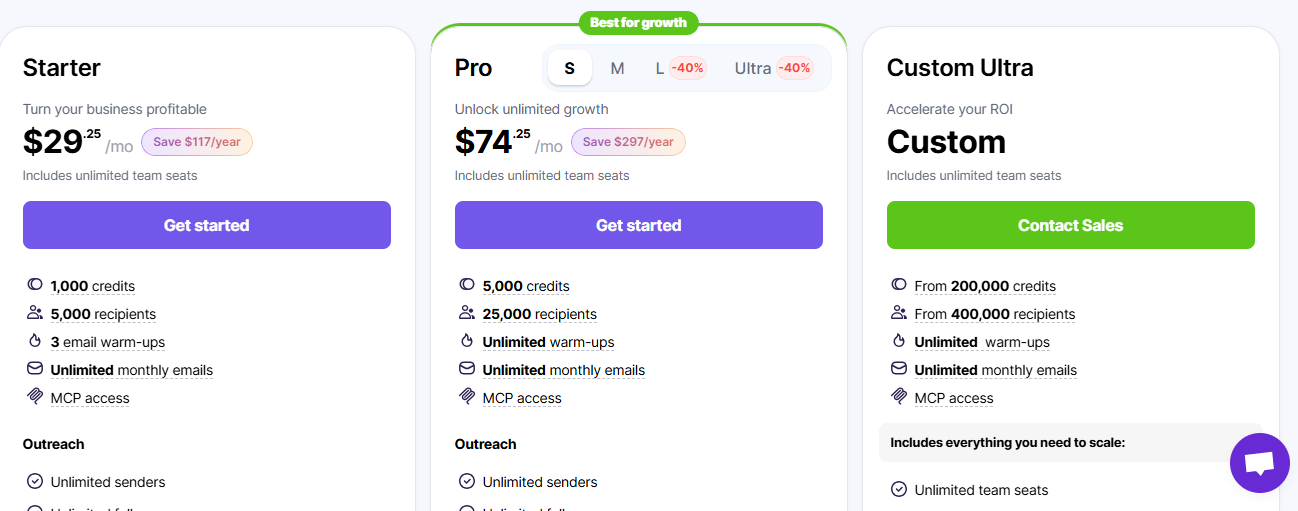
- Trial: free, 50 credits, 100 recipients, 1 warm-up slot
- Starter: $29.25/month annual, 1,000 credits, 5,000 recipients
- Pro: $74.25/month annual, 5,000 credits, 25,000 recipients
- Custom Ultra: custom, from 200,000 credits
Pros
- Email finding and verification share the same credit pool, so one budget covers two jobs.
- Sequencer, warm-up, and CRM bundled in the base plan cover most SMB outbound needs.
- Lowest transparent entry points in the category.
Cons
- Limited to emails and basic contact info, with no rich firmographic or people-graph depth.
- LinkedIn automation slots cost an extra $69/month each.
- Lower tiers exhaust fast for teams running high-volume outbound.
10. Crunchbase
Crunchbase focuses on company financial and funding data, including funding rounds, investors, valuations, and leadership changes. The dataset is the standard for teams selling into startups and VC-backed companies. It also layers predictive intelligence on top to flag upcoming milestones like new rounds and IPOs.
The limitation is on the contact side. Crunchbase is not primarily a person-enrichment tool, so if you need verified emails and direct dials for individuals, you'll pair it with another provider.
Key features
- Funding data: Track rounds, investors, valuations, and financing events.
- Company search: Filter by industry, funding stage, headcount, and other firmographic attributes.
- Heat scores: Leverage activity signals from millions of users to see which companies are gaining market interest.
- Lead recommendations: Get automated account suggestions that match your ICP criteria.
- Salesforce sync: Push Crunchbase intelligence into Salesforce on the Business (Enterprise) plan.
Pricing
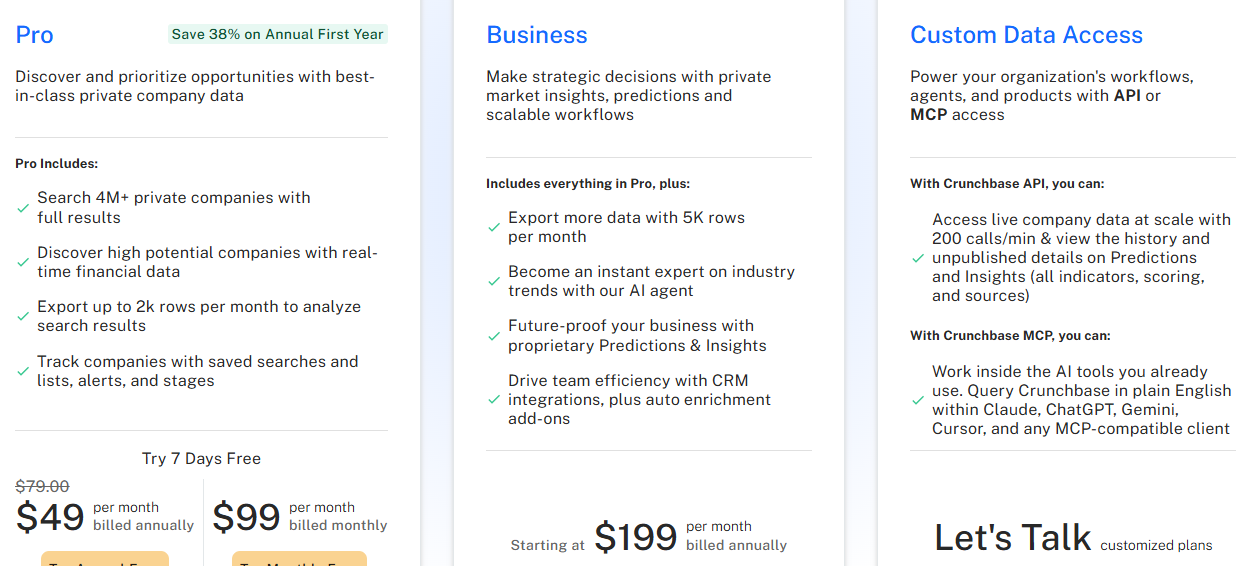
- Free: database search access, basic company profiles
- Pro: $99/month or $588/year
- Business: $199/month
Pros
- Deepest funding, investor, and financing dataset in the category.
- Predictive intelligence on funding, growth, and IPO milestones sits on top of the base data.
- Pro at $99/month is accessible for individuals and small teams.
Cons
- Weak on individual contact data, needs another provider for verified emails and dials.
- Salesforce integration and predictive features sit behind the Business plan.
- Coverage outside North America is thinner.
11. FullContact
FullContact specializes in identity resolution: matching fragmented customer identifiers across channels into a single unified person record. That capability is why AdTech, martech, and customer data platform teams use it.
FullContact was acquired by Ziff Davis in Q4 2024, and coverage is US-only. The product line splits four ways. Acumen (website visitor identification, publicly priced), and Resolve, Enrich, and Identity Streme (custom-quoted). If you're building a customer data platform or running ad-targeting infrastructure, this is the right shape of tool.
Key features
- Identity resolution: Unify customer data across email, phone, social, and device IDs into one PersonID.
- Person API (Enrich): Enrich contacts with demographic, social, and professional attributes.
- Company API: Covers firmographic data using domain-based lookups.
- Acumen (visitor ID): Identify anonymous website visitors and surface professional contact details for buyer-like traffic.
- Real-time decisioning: Feed resolved identities into ad targeting and personalization workflows.
Pricing
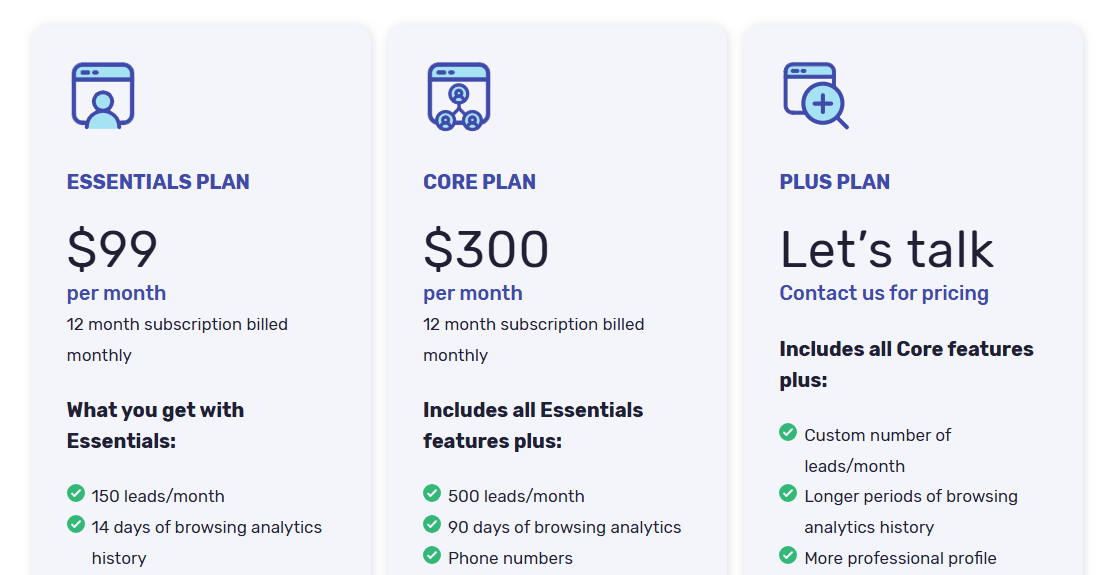
- Acumen Essentials: $99/month, 150 identified leads/month, 12-month commitment
- Acumen Core: $300/month, 500 leads/month
- Plus plan is custom-priced.
Pros
- Cross-channel identity resolution is deeper than what enrichment-only tools offer.
- Match-based billing on API products means you only pay for returned results.
- Legitimate fit for CDP, martech, and ad-targeting use cases that need a portable PersonID.
Cons
- US-only coverage limits it for international teams.
- 12-month commitment on Acumen plans with no monthly billing option.
- No Chrome extension, sequencer, or CRM prospecting UI.
12. Lead411
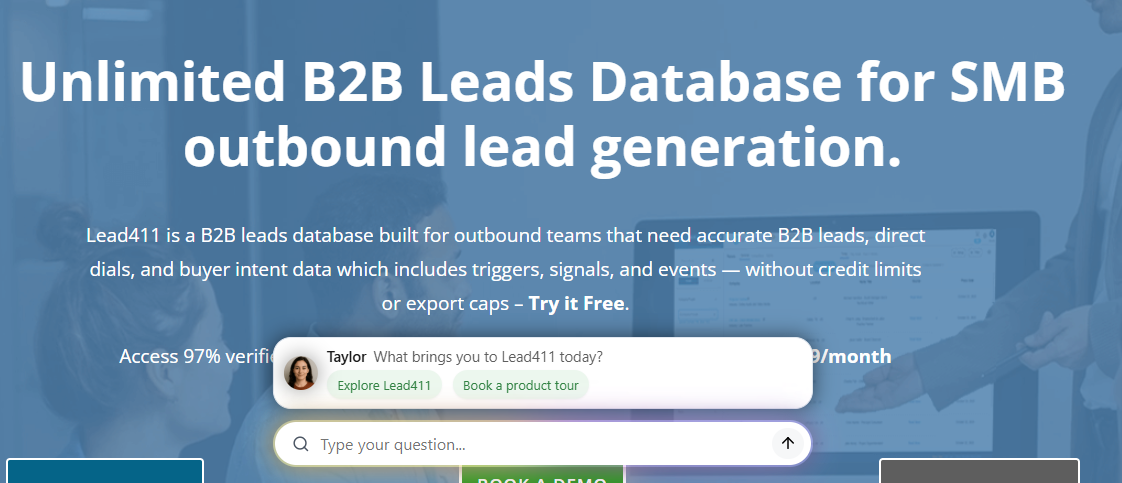
Lead411 pairs contact enrichment with Bombora intent data and focuses on US-centered data. The platform launched refreshed pricing in late 2025 and the Spark tier starts at $49 per user per month, which is competitive for verified US contact data with intent signals layered on.
The strong points are US coverage, unlimited email and phone verification, and the Bombora integration on higher plans. The weak points are international coverage, which is thinner, and API depth for teams that want to embed the data in a product.
Key features
- Bombora intent data: Identify accounts researching topics in your category using Bombora Company Surge.
- Unlimited verification: Verify emails and mobile phones without hitting credit caps.
- Chrome extension: Reveal prospect data directly on LinkedIn and company sites.
- CRM integrations: Connect to 25+ CRMs including Salesforce, HubSpot, and Outreach.
- Growth intent triggers: Track hiring, funding rounds, executive changes, and expansion signals.
Pricing
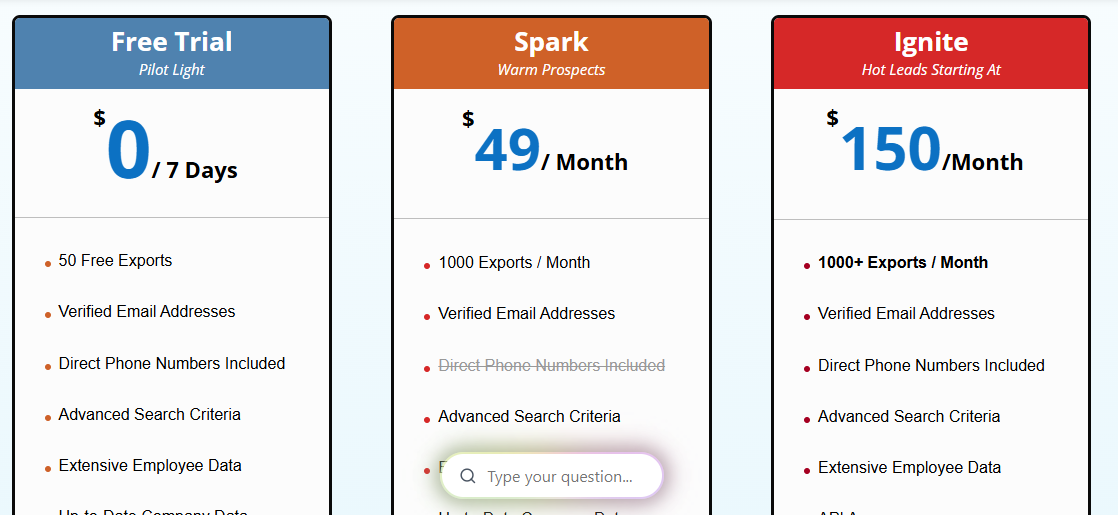
- Free trial: 50 verified lead credits
- Spark: $49/user/month (100 contacts/month) or $490/user/year (12K contacts/year)
- Ignite: custom pricing, team collaboration, enhanced CRM integrations, higher export limits
- Blaze: custom pricing
Pros
- Unlimited email and phone verification removes credit-anxiety from prospecting workflows.
- Bombora intent data on higher plans surfaces in-market accounts.
- $49/user/month Spark plan is competitive for verified US contact data.
Cons
- Data is heavily US-focused with thinner international coverage.
- Ignite and Blaze plans require a sales conversation to price.
- Limited API depth for teams embedding data in a product versus running prospecting.
Focus on Data Quality, Not More Tools
Most teams end up with two or three enrichment tools before realizing the real problem isn’t coverage; it’s accuracy. A false positive that sends your rep to the wrong person can cost more than a missing record you can identify and fill. So, match confidence matters more than database size.
If you want to test this with your own data, start with Reverse Contact’s pay-as-you-go plan. Credits are valid for 12 months; there’s no subscription, and you can see your actual match rate before committing to higher-volume use.
FAQs
What's the difference between data enrichment and data cleansing?
Enrichment adds missing information to your records, while cleansing fixes or removes incorrect, duplicate, or outdated data. Most teams need both, which is clean data with complete information.
How often should you re-enrich your CRM?
B2B data changes quickly. People switch jobs, companies change, and tech stacks get updated. Monthly re-enrichment is a good starting point, with more frequent updates for active sales records. Rising bounce rates or outdated contact details are signs that your data needs a refresh.
Can you stack multiple enrichment tools?
Yes. Using two or three providers can improve coverage because no single source gets every record right. You can compare results and keep the best data for each field. Tools like Clay support this waterfall approach, and Reverse Contact can fit into the same workflow through its API.
What should you look for in a data enrichment API?
Look beyond the match rate. Check match accuracy, data freshness, response time, fields returned, delivery options, pricing, and false-positive rates. A lower match rate with accurate data is often better than a high rate with lots of incorrect results.
Is data enrichment GDPR-compliant?
It depends on how the provider collects and handles data. Before choosing a provider, check its DPA, data sources, opt-out process, and how it handles deletion requests.

The data layer behind your GTM engine
Access fresh people and company data through one API and power every enrichment, prospecting, and automation workflow.


